
No products in the cart.

Laptop & Projector Stands
Showing all 8 results
- Laptop & Projector Stands, TV & Computer Stands
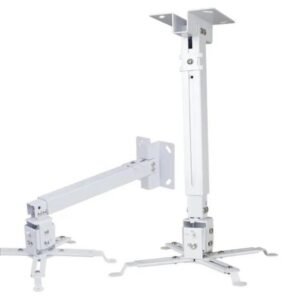
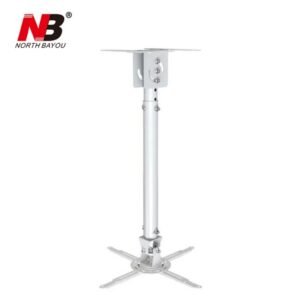
2 Feet Ceiling Projector Mount imported (Square Type) Iron
 Laptop & Projector Stands, TV & Computer Stands
2 Feet Ceiling Projector Mount imported (Square Type) Iron
roduct details of 2 Feet Ceiling Projector Mount (Square Type) Iron 2 Feet (0.6 meter) Distance From Ceiling: 0.6 Square Type Classrooms, conference rooms and several other types of halls where a projector is used, a ceiling mount would would be much useful Easily fit this ceiling mount onyour…
SKU: 460233269 - Laptop & Projector Stands, TV & Computer Stands
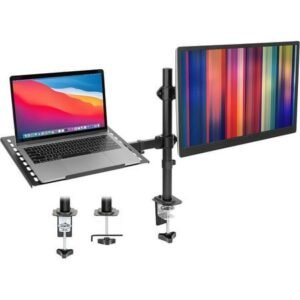
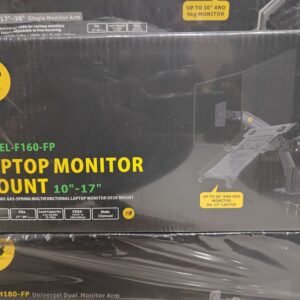
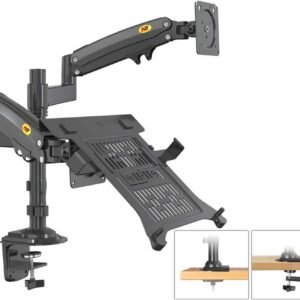
NB North Bayou F160-FP Laptop Mount with Adjustable Tray for 10-17”Notebook, Full Motion Arm with VESA Plate for 17-30”Monitor,Clamp-on Grommet Mounting
Laptop & Projector Stands, TV & Computer StandsNB North Bayou F160-FP Laptop Mount with Adjustable Tray for 10-17”Notebook, Full Motion Arm with VESA Plate for 17-30”Monitor,Clamp-on Grommet Mounting
NB North Bayou F160-FP Laptop Mount with Adjustable Tray for 10-17”Notebook, Full Motion Arm with VESA Plate for 17-30”Monitor,Clamp-on Grommet Mounting
SKU: 666801234 - Laptop & Projector Stands, TV & Computer Stands
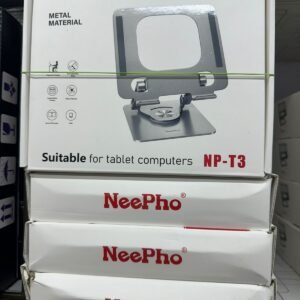
NeePho NP-T3 Portable Laptop Stand
Product: NeePho NP-T3 Portable Laptop Stand Material: Metal+ Silicone color: Silver Applicable models: Tablets, Laptops, Macbook Sturdy & Stable Multi-Angle Adjustable Foldable & Portable For 8 -17 inch An indispensable companion for Work/Study Line avoidance design Does not block letters Rounded…
SKU: 461458718 - Laptop & Projector Stands, TV & Computer Stands
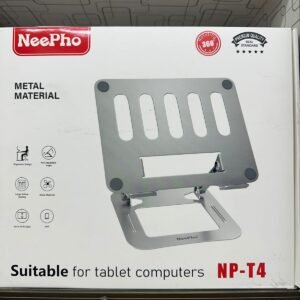
Neepho Np-T4 Tablet Computer And Laptop Stand
Neepho Np-T4 Tablet Computer/Laptop Stand in Bangladesh The Neepho Np-T4 Tablet Computer/Laptop Stand is available now in Bangladesh. Get the original products at the most affordable price only at Ajkershop and enjoy the quality with the promise of the best customer service in Bangladesh. Material…
SKU: 461461334
Laptop & Projector Stands in Pakistan
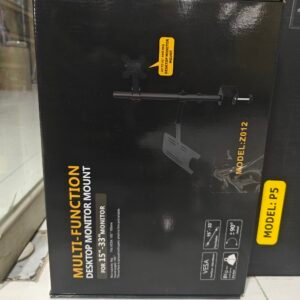
Browse laptop and projector stands in Pakistan for portable desk use, laptop-and-monitor combinations and ceiling-mounted projector setups at SmartBazaar. The current category includes foldable laptop stands, tablet and laptop supports, laptop trays combined with monitor arms, clamp or grommet desk mounts, and projector ceiling brackets. These products serve different equipment types, so compatibility should be checked carefully before ordering.
For laptop stands, compare device dimensions, weight, tray size, adjustment and support design. For laptop-and-monitor combination mounts, verify both the laptop tray fit and the monitor’s VESA and weight requirements. Projector brackets use their own mounting arrangements, so monitor VESA rules should not be assumed to apply. Check mounting method, installation surface, equipment weight, verified adjustment features and current product details before comparing price, installation needs or choosing a stand.
Shop Laptop & Projector Stands for Desk and Ceiling Setups
The current range covers portable laptop supports, desk-mounted laptop trays combined with monitor arms, and ceiling brackets for compatible projectors. The right product depends on equipment type, dimensions, weight, mounting method and required adjustment. You can browse more TV & Computer Stands for related display-support categories.
Portable Laptop Stands
Portable laptop stands support a compatible laptop or tablet above a work surface. Compare supported device size, stand width, adjustment positions, folded dimensions, material, weight and anti-slip or retention surfaces where verified. Do not assume every portable stand is height-adjustable or suitable for every notebook size.
Foldable vs Fixed Laptop Stands
Foldable: can collapse or reduce in size for storage or transport where designed. Fixed: uses a more permanent frame or set position. Foldable does not automatically mean lighter, stronger or more stable, so compare actual construction and dimensions.
Laptop Size Compatibility
A laptop-size rating is only a starting point. Two laptops with the same advertised screen size can have different chassis widths, depths and weights. Check the stand or tray dimensions against the laptop’s actual base rather than assuming every device in the stated screen-size range will fit.
Laptop Weight & Stand Load Capacity
The laptop’s actual weight should remain within the stand or tray’s stated load capacity where a limit is provided. A metal construction does not automatically prove greater load support. For desk-mounted systems, check the verified limits for each supported device.
Laptop Stand Ventilation
Some stands use open frames, cut-outs or raised supports that leave more of the laptop underside exposed. This describes the structure, not a guaranteed cooling result. Do not assume an open design will reduce CPU temperature or improve performance without measured evidence.
Adjustable Laptop Stands
Adjustable stands may provide angle adjustment, height adjustment or several positions depending on the product. Check the adjustment range, locking or support mechanism, base stability and device fit where verified. Do not assume every adjustable stand provides both height and angle control.
Laptop & Monitor Combination Arms
Some current products combine a laptop tray with a separate monitor arm in one desk-mounted system. This supports two different device types where compatibility is satisfied. Check laptop tray fit separately from the monitor arm’s VESA, weight and load requirements.
Monitor VESA in Laptop + Monitor Combo Mounts
The laptop tray normally supports the notebook through a platform or retention design, while the monitor side may use a VESA plate. For the monitor, verify the exact VESA pattern, monitor weight and arm load capacity. Screen size alone does not confirm compatibility.
Laptop Tray Compatibility
Compare tray width, tray depth, laptop dimensions, device weight and any retention lip or clamp where verified. Do not treat a tray as universally compatible; a notebook can be too wide, deep or unsuitable for the tray design even when its screen size appears to match.
Clamp vs Grommet Desk Mounting
A clamp attaches around the edge of a compatible desk. A grommet mount uses a suitable opening through the desktop where supported. Check desktop thickness, edge shape, underside clearance, mounting space and construction before choosing either method.
Full-Motion Laptop / Monitor Arms
Some combination arms may provide height adjustment, extension, swivel, tilt or rotation. These ranges vary by product, so use verified specifications rather than assuming “full motion” means the same thing on every arm.
Projector Ceiling Mounts
Projector ceiling mounts suspend a compatible projector from an overhead installation point. Important checks include projector weight, bracket compatibility, mounting-hole arrangement, ceiling drop, adjustment options and the installation surface. Select the bracket for the projector’s actual mounting design.
Projector Mount Compatibility Is Not the Same as VESA
Many monitors use standardized VESA patterns, while projectors may use adjustable mounting arms, dedicated hole arrangements or model-specific bracket layouts. Do not assume monitor VESA rules apply. Check the projector’s mounting points, weight and the bracket’s supported design.
Fixed vs Adjustable Projector Mounts
A fixed or short-drop bracket keeps the projector relatively close to the mounting point where designed. An adjustable or extended mount may provide more vertical positioning. The suitable choice depends on ceiling height, desired projector position, room layout and bracket compatibility.
Ceiling Drop — What Does It Mean?
Ceiling drop is the vertical distance between the ceiling mounting point and the projector position. A longer drop can provide additional vertical placement where needed. Use exact drop measurements only from the verified product listing.
Projector Weight & Load Capacity
The projector’s actual weight must remain within the bracket’s stated load capacity. Bracket size or appearance alone does not establish a suitable match. Check the projector specification and bracket rating together.
Projector Positioning & Adjustment
Depending on the mount, positioning may include tilt, swivel, rotation or height adjustment. Use only verified movement features. A projector mount does not automatically correct keystone distortion, focus or image alignment.
Desk and Ceiling Installation Requirements
For desk mounts, check desktop compatibility, clamp or grommet requirements, equipment weight and clearance. For projector mounts, check the installation surface, bracket compatibility, projector weight and appropriate hardware. Follow the requirements of both the mount and the surface rather than assuming one installation method fits every setup.
Portable Laptop Stand vs Desk-Mounted Laptop Arm
A portable stand sits on a desk or flat surface and can usually be moved independently. A desk-mounted laptop arm attaches using a clamp, grommet or another verified mounting method. Compare portability, adjustment, desk space, installation requirements and device compatibility rather than assuming one type is universally better.
What to Check Before Buying a Laptop Stand
- Laptop size: Compare actual chassis dimensions with the support area.
- Laptop weight: Check the device weight against any stated limit.
- Stand or tray dimensions: Verify width and depth where provided.
- Design: Choose foldable or fixed according to storage needs.
- Adjustment: Check height or angle options where supported.
- Base stability: Review the stand’s support structure.
- Material: Use the verified product specification.
- Open design: Check tray or frame construction where relevant.
- Portability: Compare folded size and weight where listed.
- Current details: Review live specifications, price and availability.
What to Check Before Buying a Projector Mount
- Projector model: Identify the exact projector.
- Projector weight: Use the manufacturer’s stated weight.
- Mounting-hole arrangement: Check the actual mounting points.
- Bracket compatibility: Match the supported bracket design.
- Load capacity: Keep the projector within the verified limit.
- Ceiling drop: Check the stated distance where relevant.
- Movement: Review tilt, swivel or other adjustments.
- Installation surface: Confirm ceiling requirements.
- Included hardware: Check the exact package contents.
- Current details: Review live specifications, price and availability.
What Affects Laptop & Projector Stand Prices?
Prices can vary by product type, construction, adjustment mechanism, number of arms, laptop tray design, monitor-arm inclusion, gas-spring mechanism, projector-bracket design, ceiling drop, mounting system, brand and current availability. Compare products within the same support type and use current SmartBazaar product cards for live pricing.
Frequently Asked Questions
What types of laptop and projector stands are available at SmartBazaar?
The current category includes portable and foldable laptop stands, tablet or laptop supports, laptop-and-monitor combination mounts, clamp or grommet desk systems and projector ceiling brackets. Inventory can change, so check the live product grid for current options.
What should I check before buying a laptop stand?
Check laptop dimensions and weight, stand or tray size, adjustment, support design, folded size and materials where verified. Screen size alone should not confirm laptop fit.
Does a 17-inch rating mean every 17-inch laptop will fit?
No. Two 17-inch laptops can have different chassis widths, depths and weights. Compare the laptop’s actual dimensions with the stand or tray.
What is the difference between a portable laptop stand and a desk-mounted arm?
A portable stand sits on the work surface and can be moved independently. A desk-mounted arm attaches using a clamp, grommet or another mounting mechanism and may provide a different adjustment range.
How does a laptop + monitor combination mount work?
It combines a laptop tray with a separate monitor-support arm in one desk-mounted structure. The laptop tray and monitor side have different compatibility requirements, so check each device separately.
Does the monitor side of a laptop combo arm require VESA compatibility?
Where the monitor arm uses a VESA plate, yes. Match the monitor’s exact VESA pattern and weight with the arm’s stated support and load capacity.
What should I check before buying a projector ceiling mount?
Check the projector model, actual weight, mounting-hole arrangement, bracket compatibility, load capacity, ceiling drop, movement features and installation-surface requirements.
Are projector mounts based on the same VESA standard as monitors?
Not necessarily. Projectors may use adjustable mounting arms, dedicated hole arrangements or model-specific layouts. Do not apply monitor VESA assumptions unless product documentation supports them.
How do I check projector-mount load capacity?
Find the projector’s actual weight from its manufacturer specifications and compare it with the bracket’s verified load limit. Do not choose the mount from projector size or appearance alone.
What affects laptop and projector stand prices in Pakistan?
Prices can vary by stand type, construction, adjustment system, laptop tray, monitor-arm mechanism, projector bracket design, mounting method, ceiling drop, brand and current availability. Compare live products with similar functions before comparing price.