
No products in the cart.

Monitor Arms
Showing all 20 results
- Monitor Arms, TV & Computer Stands
KALOC DW240-T 17 – 27 Inch Quad Four 4 Screen 240-T Stock Trading Monitor TV Mount Table Stand Bracket Base
 Monitor Arms, TV & Computer Stands
KALOC DW240-T 17 – 27 Inch Quad Four 4 Screen 240-T Stock Trading Monitor TV Mount Table Stand Bracket Base
Brand Name: KALOCProduct name: Monitor arm dualModel Number: DW240-JVESA: 75×75/100x100mmFits:17″-27″Tilt: -45°/+45°Load capacity:9.9kg/21.81lbsFeature: fit for install 4 monitors
SKU: 433331947 - Monitor Arms, TV & Computer Stands
LB-T022 Double Screen Stand, Fully Adjustable Computer Monitor Desk Clip Arms, Fits Most Monitors Up To 32 KG Max 100 X 100 VESA, Rotation & Tilt, Black
Monitor Arms, TV & Computer StandsLB-T022 Double Screen Stand, Fully Adjustable Computer Monitor Desk Clip Arms, Fits Most Monitors Up To 32 KG Max 100 X 100 VESA, Rotation & Tilt, Black
Fits Most 17-27 Monitors: A Dual Steel Screen Mount Holds Up To 18 Lbs Per Arm. Fits most computer screens with Vessa mounting hole styles 75 x 75 mm or 100 x 100 mm Compatible with most flat and curved screens. Full Motion Arm: This dual-screen stand can help you position your screen at a more…
SKU: 433072628 - Monitor Arms, TV & Computer Stands
Monitor Desk Mount Stand Full Motion Swivel Monitor Arm with Gas Spring for 17-30”Computer Monitr
Monitor Arms, TV & Computer StandsMonitor Desk Mount Stand Full Motion Swivel Monitor Arm with Gas Spring for 17-30”Computer Monitr
monitor desk mount F80 is an ergonomics interactive display arm that allow you position your monitor wherever you need it so you can work in ergonomic comfort. It helps increase viewing comfort and reduce eye, back and neck strain. Height adjustable arm provide more work space, push away and free…
SKU: 459909432 - Monitor Arms, TV & Computer Stands
Monitor Desk Mount, 4 Monitor Stand Fits Heavy Duty Computer Screen up to 15-33 inch, Full Adjustable Monitor Arm Holds up to 22 lbs per Arm
Monitor Arms, TV & Computer StandsMonitor Desk Mount, 4 Monitor Stand Fits Heavy Duty Computer Screen up to 15-33 inch, Full Adjustable Monitor Arm Holds up to 22 lbs per Arm
Monitor Desk Mount, 4 Monitor Stand Fits Heavy Duty Computer Screen up to15- 33 inch, Full Adjustable Monitor Arm Holds up to 22 lbs per Arm
SKU: 702341193 - Monitor Arms, TV & Computer Stands
Mount-It! 4 Monitor Stand | Quad Monitor Desk Mount | Fits Four Computer Screens 19 21 24 27 29 30 32 Inches | Heavy Duty Height Adjustable Arms
Monitor Arms, TV & Computer StandsMount-It! 4 Monitor Stand | Quad Monitor Desk Mount | Fits Four Computer Screens 19 21 24 27 29 30 32 Inches | Heavy Duty Height Adjustable Arms
Mount-It! 4 Monitor Stand | Quad Monitor Desk Mount | Fits Four Computer Screens 19 21 24 27 29 30 32 Inches | Heavy Duty Height Adjustable Arms | VESA 75 100 Compatible | C-Clamp and Grommet Bases
SKU: 461177754 - Monitor Arms, TV & Computer Stands
NB G35 22-32 inch Full Swivel Dual Gas Strut Arm Monitor Desk Stand with Desktop Pedestal Mount, Universal LCD, LED Flat Screen Smart TV, PC Monitor Mounting Bracket
Monitor Arms, TV & Computer StandsNB G35 22-32 inch Full Swivel Dual Gas Strut Arm Monitor Desk Stand with Desktop Pedestal Mount, Universal LCD, LED Flat Screen Smart TV, PC Monitor Mounting Bracket
Mounting Type: Table Mount Movement Type: Rotate, Swivel, Tilt, Articulating Brand: NB North Bayou Material: Aluminum TV Size: 34 Inches Minimum Compatible Size: 27 Inches Compatible Devices: monitors Maximum Tilt Angle: 15 Degrees
SKU: 478389980 - Monitor Arms, TV & Computer Stands
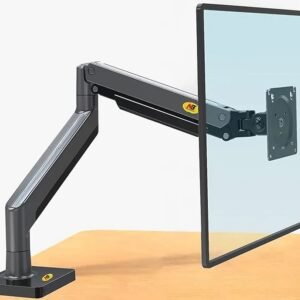
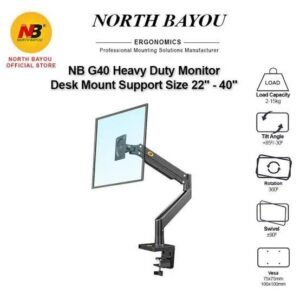
NB G40 Gas Spring Monitor Arm – 22-40 inch Desktop Screen Holder with 360° Rotation 2-15kgs
Monitor Arms, TV & Computer StandsNB G40 Gas Spring Monitor Arm – 22-40 inch Desktop Screen Holder with 360° Rotation 2-15kgs
Adjustable Gas Spring Mechanism: The gas spring mechanism allows you to effortlessly adjust the height of your monitor to your preferred viewing level. Say goodbye to uncomfortable neck strain as you position your screen for optimal eye-level alignment. 360° Rotation: Enjoy the freedom to rotate…
SKU: 432602944 - Monitor Arms, TV & Computer Stands
NB North Bayou Dual Monitor Desk Mount Stand Full Motion Swivel Computer Monitor Arm for Two Screens 17-27 Display S400
Monitor Arms, TV & Computer StandsNB North Bayou Dual Monitor Desk Mount Stand Full Motion Swivel Computer Monitor Arm for Two Screens 17-27 Display S400
TWO MONITORS AT ONCE: Fits most 17”- 27” Monitors with the load from 4.4 -19.8 lbs (2-9KG) for each monitor, VESA compliant patterns 75x75mm or 100x100mm; While the whole VESA Plate of this product is 118*118mm,Pls pay special attention to the size of VESA Plate if your monitor are curved…
SKU: 478427197 - Monitor Arms, TV & Computer Stands
NB North Bayou F160 Dual Monitor Desk Mount Stand Full Motion Swivel
Monitor Arms, TV & Computer StandsNB North Bayou F160 Dual Monitor Desk Mount Stand Full Motion Swivel
Full motions flexibility with all directional effortless adjustment without tools used Durable gas-strut cylinder and conical joints constructed for smooth and stable operation Ergonomic design concept relax your life Integrated cable management conceals inside provide the clean neat and…
SKU: 432368391 - Monitor Arms, TV & Computer Stands
NB North Bayou F80 Monitor Desk Mount Stand Full Motion Swivel Monitor Arm with Gas Spring for 17-30”Monitors
Monitor Arms, TV & Computer StandsNB North Bayou F80 Monitor Desk Mount Stand Full Motion Swivel Monitor Arm with Gas Spring for 17-30”Monitors
NB North Bayou Monitor Desk Mount Stand Full Motion Swivel Monitor Arm with Gas Spring for 17-30”Monitors(Within 4.4lbs to 19.8lbs) Computer Monitor Stand F80: ☑FULL MOTION: A Wide range of movements, The monitor can be rotated and tilted effortlessly in any direction, Tilt Angel from -30 degrees…
SKU: 432607411 - Monitor Arms, TV & Computer Stands
NB North Bayou Lcd Led TV WALL Mount Table Mount Bracket F100A Gas Spring Arm 22-35 inch Screen Monitor Holder 360 Rotate Tilt Swivel
Monitor Arms, TV & Computer StandsNB North Bayou Lcd Led TV WALL Mount Table Mount Bracket F100A Gas Spring Arm 22-35 inch Screen Monitor Holder 360 Rotate Tilt Swivel
NB F100A Gas Spring Arm 22-35 inch Screen Monitor Holder 360 Rotate Tilt Swivel Desktop Monitor Mount Arm with Two USB Ports
SKU: 432608392 - Monitor Arms, TV & Computer Stands
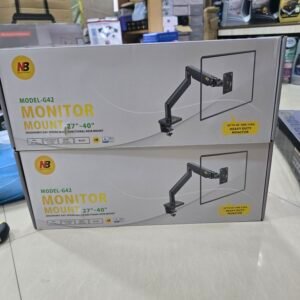
NB North Bayou Monitor Arm Full Motion Swivel Monitor Mount with Gas Spring for 22”-40” Monitors with Load Capacity from 4.4 to 30lbs Height Adjustable Monitor Stand G40
Monitor Arms, TV & Computer StandsNB North Bayou Monitor Arm Full Motion Swivel Monitor Mount with Gas Spring for 22”-40” Monitors with Load Capacity from 4.4 to 30lbs Height Adjustable Monitor Stand G40
NB North Bayou Monitor Arm Full Motion Stand G40: Brand: NB North Bayou Item model number: G40 TV Size: 40 Inches Minimum Compatible Size: 22 Inches Material Type: Aluminum Compatible Devices Monitors, Televisions Movement Type Rotate, Swivel, Tilt, Articulating
SKU: 461448344 - Monitor Arms, TV & Computer Stands
NB-G45 Monitor Arm Full Motion Swivel Monitor Mount with Gas Spring for 22”-40” Monitors
Monitor Arms, TV & Computer StandsNB-G45 Monitor Arm Full Motion Swivel Monitor Mount with Gas Spring for 22”-40” Monitors
NB North Bayou Monitor Arm Full Motion Swivel Monitor Mount with Gas Spring for 22”-40” Monitors with Load Capacity from 4.4 to 26.4lbs Height Adjustable Monitor Stand G45
SKU: 464154664
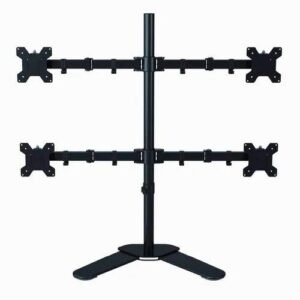
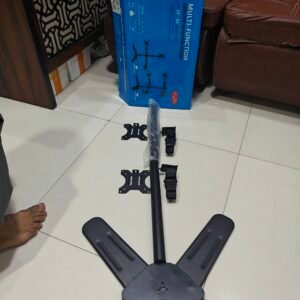
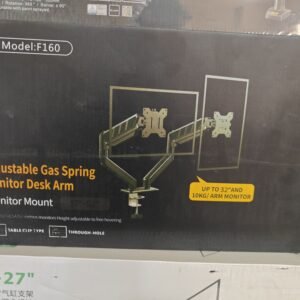
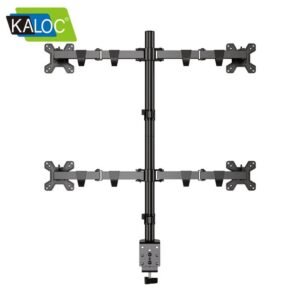
Monitor Arm Price in Pakistan – Monitor Mounts & Stands
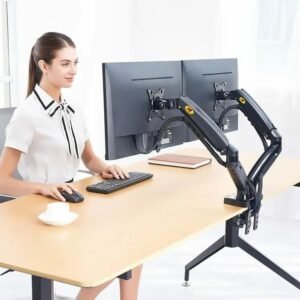
Compare monitor arm price in Pakistan and browse desk-mounted and freestanding monitor support options at SmartBazaar. The current Monitor Arms category includes single monitor arms, dual-screen mounts, vertical dual stands, quad and four-monitor stands, gas-spring arms, clamp and grommet mounting systems, and freestanding multi-monitor supports. These products differ in screen count, VESA support, load capacity, movement and desk-mounting method.
Before ordering, check the monitor’s exact VESA pattern, weight and screen size against the arm’s verified limits. Also review the desk or base mounting method, available clearance, adjustment range and the number of displays the stand is designed to support. A 27-inch monitor does not automatically fit every arm advertised for that size, and a “universal” title does not remove the need to verify VESA and weight. Use current SmartBazaar product cards for live pricing, availability and specifications.
Monitor Arm Price in Pakistan — What Affects the Cost?
Monitor arm prices can vary according to single or multi-monitor design, gas-spring mechanism, supported VESA patterns, screen-size guidance, load capacity, movement range, desk-mounting system, construction and included cable-management features. Dual, vertical and four-monitor systems can also differ in the number of arms, pole design and base structure.
Check current SmartBazaar product cards for live monitor arm price in Pakistan rather than relying on a broad market range. Compare products within the same mounting type and confirm that the arm supports your monitor and desk before comparing price.
Types of Monitor Arms & Stands
The current category includes single, dual, vertical dual and four-monitor stands, plus gas-spring, pole-based, freestanding, clamp and grommet designs. Start with screen count and mounting method, then check VESA, monitor weight and load capacity for each display.
What Is VESA on a Monitor Arm?
VESA refers to standardized mounting-hole spacing on the rear of compatible monitors. It is usually written as horizontal × vertical spacing in millimetres. Common examples include 75 × 75 mm and 100 × 100 mm, but not every monitor or arm supports both.
Match the monitor’s exact VESA pattern with the arm’s stated VESA support. A correct screen-size range does not compensate for a mismatched mounting-hole pattern.
Screen Size Alone Is Not Enough
A monitor arm labelled for a particular screen range still needs to match VESA, actual monitor weight, load capacity and physical clearance. A 27-inch monitor does not automatically fit every arm promoted for 27-inch screens.
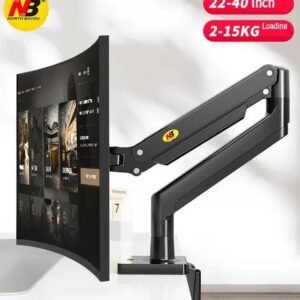
Single Monitor Arms
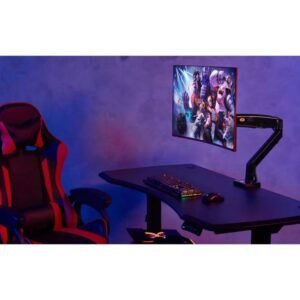
A single monitor arm supports one compatible display. Check screen-size guidance, VESA, load range, tilt, swivel, rotation, reach and mounting base where verified.
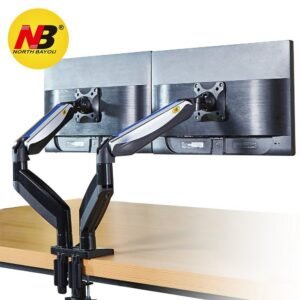
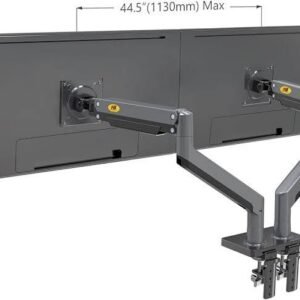
Dual Monitor Arms
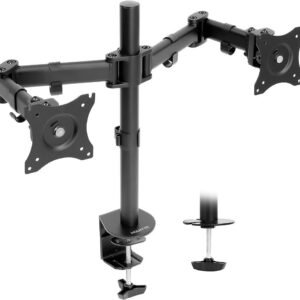
Two-screen mounts support a pair of compatible displays. Check VESA, load capacity and screen-size guidance for each arm, plus spacing, arrangement and clamp or grommet requirements. Different monitor sizes or weights should be verified against the product limits.
Vertical Dual Monitor Stands
Vertical dual-monitor stands position one screen above another where supported. Check VESA, load per screen, monitor dimensions, pole height, spacing and tilt where verified. Vertical stacking is not suitable for every monitor combination.
Quad & Four-Monitor Stands
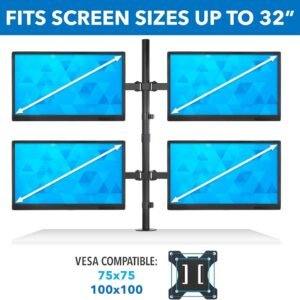
Four-monitor stands support multi-screen layouts from one structure. Verify screen count, VESA, load per arm, screen-size guidance, spacing and base or desk footprint. Matching the number of displays alone does not confirm compatibility.
Gas-Spring Monitor Arms
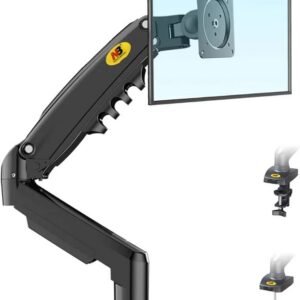
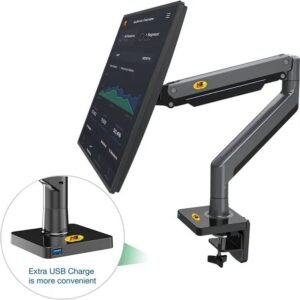
A gas-spring monitor arm uses a tensioned mechanism to assist movement and balancing. Compare supported monitor weight, tension adjustment, vertical travel, reach and movement features where verified. Gas-spring is not automatically better than a mechanical design.
Mechanical / Pole-Based Monitor Stands
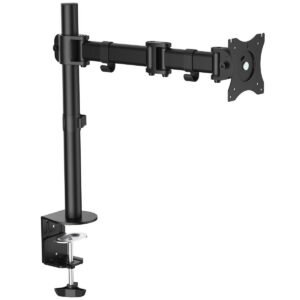
Some stands use poles, fixed joints, manual adjustment or freestanding bases instead of gas springs. Choose according to screen count, monitor weight, adjustment needs and desk setup rather than treating one mechanism as universally superior.
Clamp vs Grommet Mounting
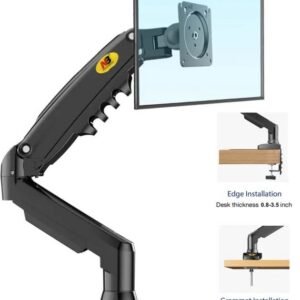
A clamp mount attaches around a compatible desk edge, while a grommet mount uses a suitable hole through the desktop. Check desk thickness, edge profile, underside clearance, desktop material and mount dimensions before choosing either method.
Freestanding Monitor Stands
Freestanding monitor stands use a base that sits on the desk rather than clamping to it. Compare base footprint, screen count, pole height and supported monitor weight where verified.
Tilt, Swivel & Rotation
Tilt changes vertical angle, swivel moves the display left or right, and rotation may change orientation where supported. Exact movement ranges vary by product.
Portrait vs Landscape Orientation
Some arms can rotate a compatible display between landscape and portrait orientation. Verify rotation support, monitor size, VESA plate clearance and cable clearance before assuming portrait use is supported.
Load Capacity — Why It Matters
Load capacity is the monitor weight an arm is designed to support. Keep the actual monitor weight within the verified range; a screen can match the advertised size while exceeding the supported load.
Monitor Weight vs Screen Size
Two monitors with the same screen size can weigh differently because of construction and internal hardware. Check the relevant mounted weight and compare it with the arm’s stated load range.
Curved Monitor Compatibility
Curved monitors can require extra clearance checks. Verify VESA, monitor weight, plate clearance, rear mounting area and arm load limits rather than assuming every VESA arm supports every curved display.
Desk Compatibility
Desk-mounted arms transfer load through the clamp, grommet or base. Check desktop thickness, material, edge construction, underside clearance and mounting position. Do not assume compatibility with glass or unusual desk designs unless verified.
Cable Management
Some arms include cable clips, channels or internal routing where verified. These help organize power, display and USB cables but do not change VESA or load compatibility.
Monitor Arms & Workspace Positioning
Adjustable arms can reposition compatible screens for height, distance, angle or orientation where supported. Treat this as a practical positioning feature, not a guarantee of pain relief or medical benefit.
What to Check Before Buying a Monitor Arm
- Number of monitors: Choose a stand designed for the number of screens you use.
- Screen size: Check the arm’s stated size guidance.
- VESA pattern: Match the monitor and arm exactly.
- Monitor weight: Check the relevant mounted weight.
- Load capacity: Keep each monitor within the arm’s verified limit.
- Stand format: Select single, dual, vertical or multi-monitor design.
- Mounting method: Check clamp, grommet or freestanding requirements.
- Desk fit: Verify thickness, edge and underside clearance.
- Movement: Review tilt, swivel and rotation where needed.
- Mechanism: Compare gas-spring and mechanical designs.
- Cable management: Confirm clips or channels where required.
- Current details: Check live specifications, price and availability.
Buying Monitor Arms Online in Pakistan
When comparing monitor arm Pakistan options online, confirm the monitor’s screen size, VESA and weight first. Then compare load range, mounting method, movement and desk compatibility. You can also browse more TV & Computer Stands. Use current SmartBazaar product cards to compare monitor stand price in Pakistan, specifications and availability.
Frequently Asked Questions
What is the current monitor arm price in Pakistan?
Monitor arm price in Pakistan varies according to single or multi-monitor design, gas-spring mechanism, VESA support, load capacity, movement, mounting base, construction and current availability. Check SmartBazaar’s live product cards for current pricing.
What is VESA on a monitor arm?
VESA describes standardized mounting-hole spacing on the rear of compatible monitors. The monitor’s exact VESA pattern must match the arm’s supported pattern before the two should be considered compatible.
Is screen size enough to choose a monitor arm?
No. You should also check VESA, actual monitor weight, the arm’s load capacity and physical clearance. A screen-size match alone does not confirm compatibility.
What is the difference between a single and dual monitor arm?
A single arm supports one compatible monitor, while a two-screen mount supports two. Multi-screen systems require compatibility checks for each monitor, including VESA, weight and supported screen size.
What is the difference between clamp and grommet mounting?
A clamp attaches around a compatible desk edge, while a grommet mount uses a suitable hole through the desktop. Desk thickness, edge shape and underside clearance can affect which mounting method works.
What is a gas-spring monitor arm?
A gas-spring arm uses a tensioned mechanism to assist monitor movement and balancing. Supported weight, tension range and adjustment features vary by model, so gas-spring designs still require careful compatibility checks.
How do I check a monitor arm’s load capacity?
Find the monitor’s relevant mounted weight and compare it with the arm’s stated supported load range. For multi-monitor stands, check the allowed weight for each arm or screen position.
Can a monitor arm support a curved monitor?
Some can, but compatibility depends on VESA, monitor weight, rear shape, plate clearance and the arm’s stated limits. Do not assume every monitor arm works with every curved display.
What should I check before buying a quad monitor stand?
Check the number of supported displays, VESA, screen-size guidance and load capacity for each screen, plus spacing, base or desk footprint and the mounting method. Each monitor needs to meet the stand’s limits.
What affects monitor stand prices in Pakistan?
Monitor stand prices can vary by screen count, mechanism, VESA range, load capacity, adjustment features, clamp or base design, construction, brand and current stock. Compare products with similar mounting functions before comparing price.